 English
 简体中文
简体中文
 Arabic
 French
 Spanish
 Portuguese
 Deutsch
 Turkish
 Dutch
Dutch
 Italiano
 Russian
 Romaian
 Portuguese (Brazil)
 Greek
Greek

开发者
探索我们提供的开发者工具
API 版号 1.1
本文档解释了如何注册、配置和开发您的应用程序,以便您能够成功使用我们的 API
创建APP
应用接入API需按以下方式注册 APP 控制面板. 注册后会生成一个应用 ID,让我们知道您的身份,并帮助我们将您的应用与其他应用区分开来.
- 您需要创建一个新的 APP 创建新应用
- 创建应用后,您将获得您的 app_id 以及 app_secret
使用以下方式登录
“使用以下方式登录”系统为用户提供了一种快速便捷的方式来创建帐户并登录您的应用。我们的“使用以下方式登录”系统支持两种场景:身份验证和请求访问用户数据的权限。您可以将“使用以下方式登录”系统仅用于身份验证,也可以同时用于身份验证和数据访问.
-
开始 OAuth 登录流程时,您需要使用类似这样的应用链接:
<a href="https://u37.axiox.media/api/oauth?app_id=YOUR_APP_ID">Log in With U37</a>
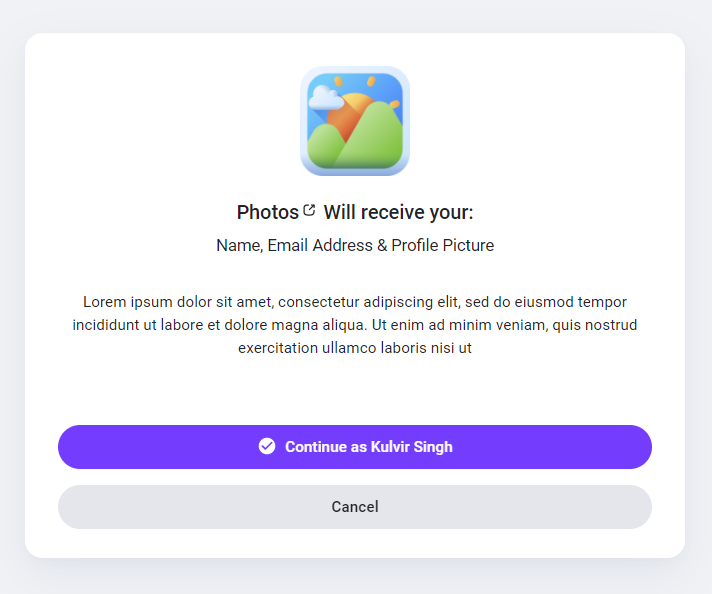
用户将被重定向到如下所示的“使用以下方式登录”页面
-
用户接受您的应用后,将被重定向到您的应用重定向 URL auth_key 类似的:
https://mydomain.com/my_redirect_url.php?auth_key=AUTH_KEY
此 auth_key 代码仅限使用一次,使用后将无法再次使用,您需要重新生成新代码,并再次将用户重定向到登录链接.
访问令牌
一旦您的应用获得用户批准,就会弹出“使用以下方式登录”窗口并返回结果 auth_key 然后就可调用我方API获取数据,需先授权应用以获取访问权限 access_token 您可以按照我们的步骤了解如何获得它.
-
要获取访问令牌,请向以下端点发送 HTTP GET 请求:
<?php

$app_id = "YOUR_APP_ID"; // your app id
$app_secret = "YOUR_APP_SECRET"; // your app secret
$auth_key = $_GET['auth_key']; // the returned auth key from previous step

// Prepare the POST data
$postData = [
  'app_id' => $app_id,
  'app_secret' => $app_secret,
  'auth_key' => $auth_key
];

// Initialize cURL
$ch = curl_init('https://u37.axiox.media/api/authorize');

// Set cURL options for POST
curl_setopt($ch, CURLOPT_RETURNTRANSFER, true);
curl_setopt($ch, CURLOPT_POST, true);
curl_setopt($ch, CURLOPT_POSTFIELDS, http_build_query($postData));

// Execute request
$response = curl_exec($ch);

// Check for cURL errors
if (curl_errno($ch)) {
  die('cURL error: ' . curl_error($ch));
}

curl_close($ch);

// Decode the JSON response
$json = json_decode($response, true);

// Use the access token if available
if (!empty($json['access_token'])) {
  $access_token = $json['access_token']; // your access token
}
?>
此 access_token 链接有效期一小时,失效需跳转登录链接重新生成.
API
一旦你得到你的 access_token 即可通过带下述参数的HTTP GET请求查询系统数据
| 端点 | 描述 |
|---|---|
| api/get_user_info |
获取用户信息 |
你可以像这样检索用户信息
if(!empty($json['access_token'])) {
   $access_token = $json['access_token']; // your access token
   $get = file_get_contents("https://u37.axiox.media/api/get_user_info?access_token=$access_token");
}
结果将是:
{
    "user_info": {
        "user_id": "",
        "user_name": "",
        "user_email": "",
        "user_firstname": "",
        "user_lastname": "",
        "user_gender": "",
        "user_birthdate": "",
        "user_picture": "",
        "user_cover": "",
        "user_registered": "",
        "user_verified": "",
        "user_relationship": "",
        "user_biography": "",
        "user_website": ""
    }
}